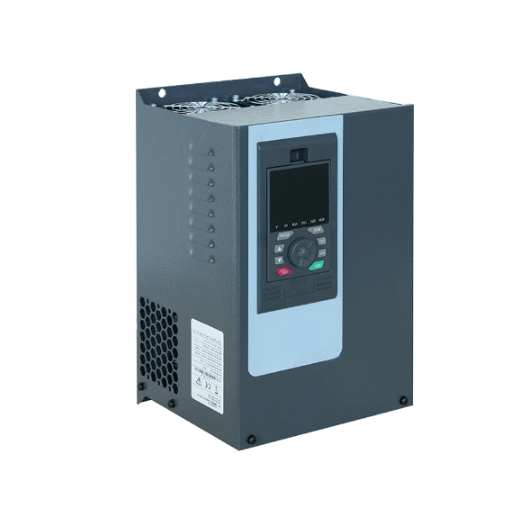
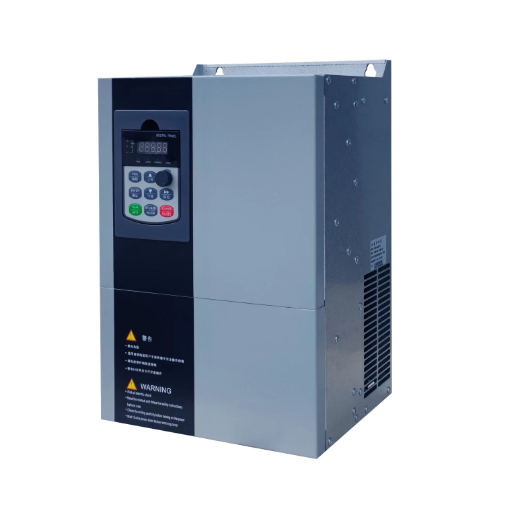
Ready to Get Your VFD Solution?
Whether you need a single drive or a complete system, we have the VFD products and engineering support to ensure your project's success.


A VFD preventive maintenance checklist is a frequency-organized list of the inspection, cleaning, torque, and replacement tasks that keep a variable frequency drive reliable. The core entries are daily visual checks, monthly airflow and filter checks, quarterly torque and thermal scans, and annual cleaning and electrical tests. Cooling fans and DC bus capacitors follow a longer cycle, at roughly three to five and seven to ten years.
That one page is usually what separates a drive that runs for fifteen years from one that trips every summer.
At a snack-food plant outside Columbus, Ohio, maintenance technician Dana had a simple rule. Every quarterly shutdown, she put a torque wrench on the load terminals of each drive feeding the ovens. In March she turned a bolt on a 75 kW drive and felt it move a quarter turn. It should have been tight.
A thermal scan confirmed the terminal was running warmer than its neighbors. She re-torqued it to spec and logged the finding. Six weeks later, that same terminal would have been a loose connection carrying hundreds of amps, and loose connections arc.
You already know preventive maintenance matters. The problem is usually not willingness. It is that “maintenance” is vague, and a vague task does not get scheduled, assigned, or finished.
This guide gives you a VFD preventive maintenance checklist you can hand to a technician, print for the shop floor, or paste into a CMMS. It covers what belongs on the checklist, how to organize it by VFD maintenance frequency, what each task takes in time and tools, and how to tell when a check has passed. For the full background on why each task matters, our complete VFD preventive maintenance guide covers the theory behind the schedule.
Key Takeaways
- A working VFD preventive maintenance checklist is organized by frequency, not by component, so tasks match the shutdown windows you actually get.
- Five task groups cover most drive failures: visual and environmental checks, airflow and cooling, connections and torque, electrical testing, and scheduled wear-item replacement.
- Cooling fans and DC bus capacitors are the two components worth replacing on a calendar rather than on failure, at roughly 3 to 5 years and 7 to 10 years respectively.
- Every checklist line needs a pass criterion. “Inspect terminals” is a task. “Every terminal torqued to manufacturer spec” is a checklist item a technician can sign off.
- Dust, heat, and moisture set your intervals. A clean climate-controlled room and a dusty grain elevator should not run the same VFD maintenance schedule.
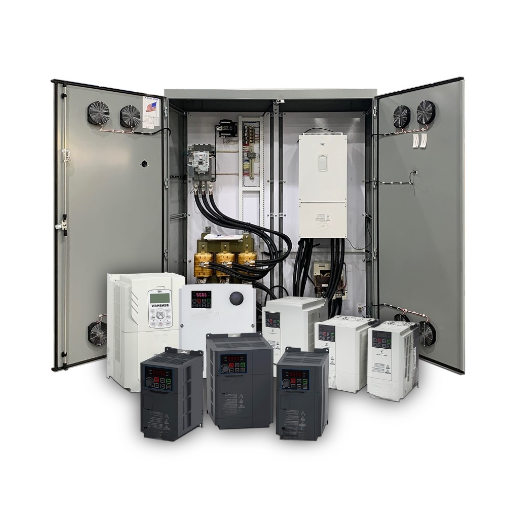
A useful VFD preventive maintenance checklist covers five task groups. Miss one and you leave a predictable failure mode unmanaged.
What separates a checklist that works from one that gets ignored is the level of detail. “Check the VFD” is not a task. A technician cannot complete it, and a supervisor cannot verify it.
Every line on your VFD preventive maintenance checklist should carry four things: what to inspect, how often, what tools or PPE the job needs, and what “pass” looks like. The table below is built that way. Add a fifth column for your plant, technician initials or a sign-off date, and the checklist doubles as a maintenance record.
Need a drive specified for the environment you are maintaining? Shandong Electric builds VFDs for dusty, hot, and heavy-load conditions across the full range from 0.22 kW to 53,000 kW. Explore the VFD range or talk to our engineers about the right enclosure and cooling for your site.
Organizing the checklist by VFD maintenance frequency solves a practical problem. Some checks take two minutes with the drive running. Others need a shutdown, a lockout, and a meter. Grouping tasks by how often they repeat lets you match the work to the shutdown windows you already have.
Use the table below as your working checklist.
| Frequency | Task | Time | Tools and PPE | Pass criteria |
|---|---|---|---|---|
| Daily or weekly | Visual walk-around | 5 min | Visual only | Display clear, no active fault codes, no abnormal noise or smell |
| Daily or weekly | Environment check | 5 min | Thermometer, humidity log | Cabinet ambient below 40 °C, no condensation, no visible dust build-up |
| Monthly | Airflow and filter check | 15 min | Vacuum, flashlight | All fans turning, filters clean enough to pass light |
| Monthly | Current and voltage log | 15 min | Clamp meter | Phase current imbalance within 10 percent |
| Monthly | Heatsink temperature log | 5 min | IR thermometer | Reading steady, no upward trend against last month |
| Quarterly | Terminal torque check | 45 min | Torque wrench, insulated gloves | Every terminal at manufacturer spec |
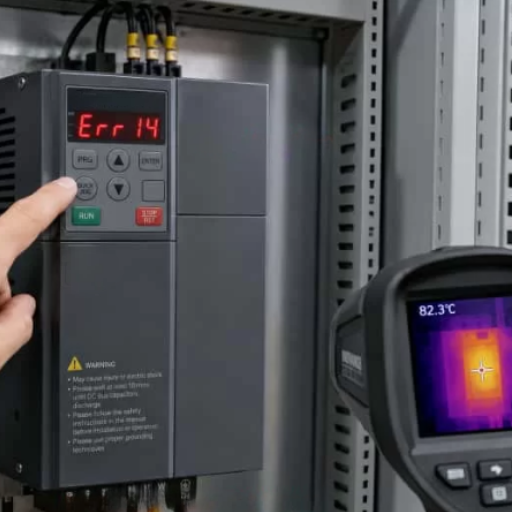
| Quarterly | Thermal scan under load | 30 min | Thermal camera | No hotspot more than 20 °C above its reference point |
| Quarterly | Parameter backup | 20 min | Laptop or USB | Current parameter file saved and dated off the drive |
| Quarterly | I/O verification | 30 min | Multimeter | Digital and analog inputs and outputs match expected values |
| Annual | Internal cleaning | 2 hr | Dry compressed air, vacuum, PPE | No dust bridging on boards, heatsink fins clear |
| Annual | Insulation resistance test | 1 hr | Megger, motor side only | Insulation above the manufacturer minimum |
| Annual | Capacitor inspection | 45 min | Visual, ESR meter | No bulging, leaking, or venting |
| Annual | Cooling fan condition check | 30 min | Visual and airflow check | No bearing noise, airflow strong at the vent |
| 3 to 5 years | Cooling fan replacement | 2 hr | Replacement fan kit | New fans fitted, airflow verified |
| 3 to 5 years | Surge protection and seal check | 30 min | Visual, torque wrench | No discoloration, enclosure seals intact |
| 7 to 10 years | DC bus capacitor replacement | Varies | Replacement capacitors, ESR meter | Capacitance and ESR within specification |
Those intervals are sensible starting points for a typical industrial environment. However, they are not universal.
A drive in a clean, climate-controlled electrical room can stretch some of them. A drive in a washdown area or a dusty process line should shorten them.
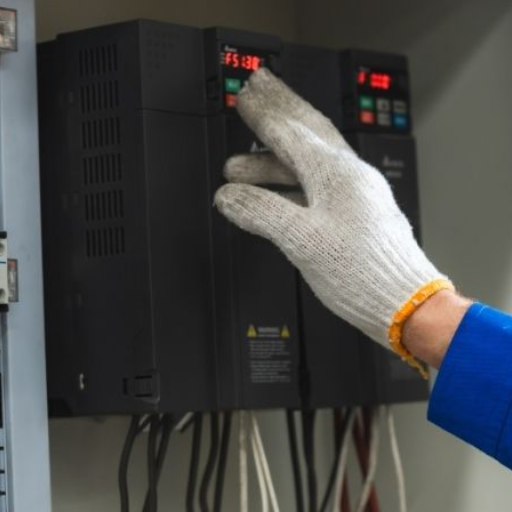
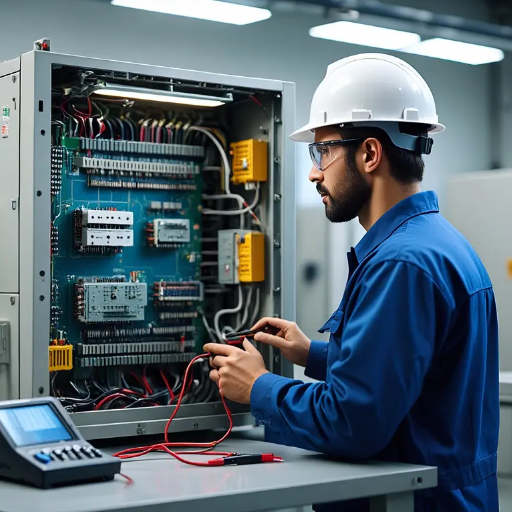
Most of the VFD preventive maintenance tasks that catch problems early need no shutdown. They take minutes and can be folded into a normal shift round.
Start with your eyes and ears. Check that the display is readable and shows no active fault code. Listen for unusual noise from the fans or the motor. Smell for the sharp, acrid odor that indicates overheating insulation.
Then look at the enclosure. Dust streaks around vents mean the filter is passing dirt. Water staining means condensation is forming inside the cabinet, which is a serious early warning for the drive electronics.
A five-minute daily check catches environmental drift long before it becomes a fault. It is also the cheapest task on the entire checklist.
Cleaning is the highest-return maintenance activity on a VFD. Dust on a heatsink insulates it, raising internal temperatures across the whole drive.
Additionally, check that every cooling fan is turning and that airflow is strong at the exhaust vent. Clean or replace cabinet filters monthly in dusty environments, and inspect the heatsink fins for packed dust. Also log the heatsink temperature each month. A number that creeps upward over three months tells you airflow is degrading, even before the drive complains.
The measurements matter more than the inspection when you trend them. Record output current per phase, DC bus voltage, heatsink temperature, and cabinet ambient temperature. Add the date and the drive tag number.
Monthly, that log is just data. Over a year, it becomes a baseline. When a reading drifts, you have already found your next repair.
Shutdown work carries the higher risk and the higher payoff. It is also where safety discipline matters most.
Before any internal work, isolate the drive. Follow your plant’s lockout and tagout procedure, which should meet the requirements of the OSHA control of hazardous energy standard.
Then wait. DC bus capacitors hold a dangerous charge after the supply is removed, and most manufacturers specify a discharge wait of five to fifteen minutes. Verify the bus voltage with a meter before you touch anything inside the enclosure.
Loose connections are one of the most common causes of VFD faults, and they are entirely preventable. Torque every power and control terminal to the manufacturer’s specification during the quarterly shutdown.
The torque check finds problems that are still hidden. A VFD thermal imaging inspection finds the ones you cannot see. With the drive under normal load, scan the terminals, the bus bars, and the heatsink. A terminal running significantly hotter than its neighbors is a connection that is loosening or corroding.
Annually, clean the interior with dry compressed air and a vacuum. Never use a wet cloth, and never blow dust deeper into the enclosure.
Then test. Check input and output voltage balance and current balance. Measure insulation resistance on the motor side, and never megger through the drive itself, because the test voltage will damage the electronics.
Back up the full parameter set every quarter, and always after any change. Save it off the drive, on a laptop, a USB stick, or in your CMMS.
This is the task technicians skip most often and regret most. A current backup turns a failed-drive replacement from a day of re-commissioning into a thirty-minute swap. If you want the details on what to capture and how to restore it, our guide to VFD parameter settings walks through it.
At a municipal wastewater plant in Michigan, reliability engineer Priya added one line to her quarterly procedure: scan the drive terminals under load after re-torquing. In the third quarter, her camera showed an input terminal running 24 °C hotter than the other two.
The bolt had been torqued correctly six weeks earlier. The lug underneath had corroded. Swapping a two-dollar lug during a scheduled shutdown avoided an unplanned pump outage at peak flow.
Running drives in a harsh environment? Drives specified for dust, heat, and moisture need fewer emergency repairs and hold their intervals better.
Every VFD contains components with a known service life. Replacing them on a calendar, rather than on failure, is the difference between a planned two-hour swap and an emergency call-out.
VFD cooling fan replacement is the most frequent scheduled part change on most drives, because fans are the shortest-lived component. Continuous-duty fans are commonly rated for 25,000 to 40,000 hours, which works out to roughly three to five years of continuous operation, and less in a dusty or oily environment.
Fans rarely fail loudly. They slow down first, then the drive starts running hotter, then it trips on overtemperature during a heat wave. Replace fans on the interval, or earlier if the interval review shows bearing noise or reduced airflow.
VFD DC bus capacitor replacement is the largest wear item and the most expensive to neglect. Capacitor life depends heavily on temperature. The common engineering rule of thumb is that capacitor life halves for every 10 °C rise above the rated temperature. As a result, a hot cabinet can cut capacitor life by half or more.
Inspect capacitors annually for bulging, leaking, or venting. Proactively replace them at seven to ten years, sooner if the drive runs hot or has been in service continuously. Capacitor degradation shows up first as a VFD undervoltage fault, because a weak capacitor cannot hold the DC bus voltage steady under load.
Cabinet air filters are consumables, not fixtures. Clean or replace them monthly in dusty environments and quarterly elsewhere. Surge protection devices should be inspected for discoloration every three to five years, since a device that has absorbed a surge may already be spent.
The checklist intervals in this guide assume a reasonably clean, temperature-controlled industrial setting. Your environment should set your intervals, and the adjustment is straightforward.
Keep the cabinet ambient temperature below 40 °C where you can. Every 10 °C above the rated temperature costs capacitor life, and heat stress compounds across every other component.
Similarly, humidity matters just as much, because condensation inside a cabinet causes corrosion and tracking. Where washdown or humidity is unavoidable, the enclosure rating becomes the maintenance strategy.
For dusty indoor locations, a NEMA 12 enclosure protects against dust and falling dirt. In these settings, VFD enclosure maintenance becomes your primary defense. For washdown or outdoor installation, use NEMA 4. Where the environment is genuinely aggressive, cabinet cooling or a water-cooled drive may be a better answer than a tighter enclosure.
Work backwards from your conditions. A clean, air-conditioned electrical room might allow quarterly filters and a five-year fan interval. A grain elevator, a foundry, or a food plant with flour in the air might need weekly filter checks and a three-year fan interval.
The principle is simple: inspect more often where the environment is harsher. Then let your logged data refine the interval. If three consecutive fan inspections show clean, cool drives, you can extend. If not, shorten.
In a Kansas grain elevator, the maintenance team moved filter cleaning from monthly to weekly after a single harvest season plugged every cabinet filter in three weeks. The change cost about twenty minutes per drive per week. It saved the plant two drives in one year, both of which had previously tripped on overtemperature during peak load. Cleaning frequency is the cheapest lever you have.
A checklist that lives in a drawer is worth nothing. Three things turn it into a program.
Assign and schedule it. Every line needs an owner, a frequency, and a place in the work order system. If it is not assigned, it will not happen on a busy day.
Record the results. The sign-off column is not bureaucracy. It is how you prove the work was done, and how the next technician knows what was found last time. Log measurements, not just pass or fail.
Review the fault history. When a drive does trip, read the fault log before clearing it. A recurring VFD overheating fault during summer is a cooling problem. A repeated VFD ground fault is an insulation or moisture problem. Each one tells you which part of the checklist to tighten.
It also helps to know when preventive maintenance is no longer the answer. If a drive trips repeatedly between scheduled services, the problem is diagnostic, not scheduled, and it belongs in a fault-specific troubleshooting process rather than next quarter’s checklist. Our VFD troubleshooting guide covers that path when a fault has already occurred.
A VFD preventive maintenance checklist includes daily or weekly visual and environmental checks, monthly airflow, filter, and temperature logging, and quarterly torque checks, thermal scans, and parameter backups. Annual tasks cover internal cleaning and electrical testing. Scheduled replacement covers cooling fans, DC bus capacitors, air filters, and surge protection devices.
Most drive manufacturers specify daily or weekly visual checks, monthly cleaning and logging, and annual inspection with electrical testing. Wear-item replacement follows a longer cycle, typically three to five years for cooling fans and seven to ten years for DC bus capacitors. Harsh environments shorten every interval.
Cleaning and cooling. Dust on a heatsink raises internal temperatures across every component, and heat is the main driver of capacitor and electronics failure. If you can only do one thing consistently, keep the drive clean and its airflow clear.
Yes, for the external and environmental checks. Visual inspection, temperature logging, current and voltage measurement, and thermal scanning under load all work with the drive running, and the thermal scan is more useful under load than when stopped. Any internal work requires lockout, a discharge wait, and verification of the DC bus voltage first.
External checks take about five minutes daily and fifteen minutes monthly. Quarterly shutdown work takes roughly two hours per drive when torque, thermal scanning, I/O verification, and parameter backup are combined. Annual internal cleaning and testing takes two to four hours per drive.
A torque wrench, a clamp meter, an infrared thermometer, a thermal camera, a multimeter, an insulation resistance tester for the motor side, and dry compressed air for cleaning. Insulated gloves and lockout hardware are required for any de-energized internal work.
Start with the intervals in this guide, then adjust for your environment. Match the interval to dust, heat, and moisture levels, and let your logged temperature and current data refine it over the first year. Inspect more often wherever conditions are harsher.
A VFD preventive maintenance checklist works because it turns a vague intention into specific, assigned, verifiable work. Organize the tasks by frequency, attach a time and a pass criterion to each one, and the program practically runs itself.
Start with six habits:
The drives that fail unexpectedly are rarely the ones on a disciplined schedule. They are the ones that were inspected once, cleaned twice, and never had a fan replaced on schedule. A checklist in use beats a perfect checklist in a drawer.
If you are building or upgrading a maintenance program, the drive you start with shapes the intervals you will need. Shandong Electric builds VFDs for demanding environments, with engineering support to help you set the right schedule, spares, and parameters from commissioning onward. Talk to our engineers about your application.