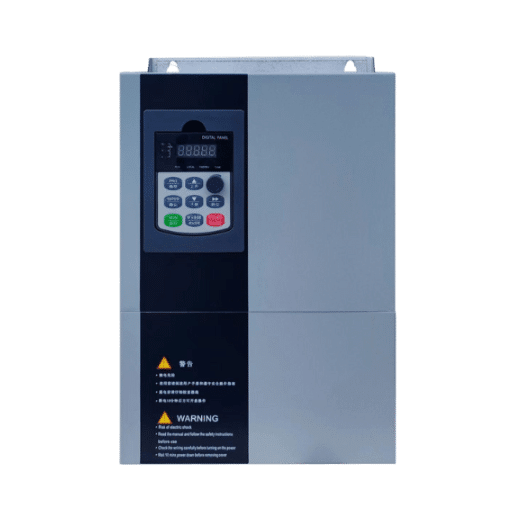
Ready to Get Your VFD Solution?
Whether you need a single drive or a complete system, we have the VFD products and engineering support to ensure your project's success.


To configure a VFD correctly, you must enter the motor’s rated voltage, current, frequency, and speed from the nameplate, then set acceleration and deceleration ramps, choose the right control mode, and run auto-tuning before the first loaded start. Skip any of these VFD parameter settings and you risk overcurrent trips, motor overheating, or premature drive failure — even if the wiring and hardware are perfect.
The VFD was wired correctly, the motor was brand new, and the installation looked perfect. But the moment the operator pressed start, the drive faulted on overcurrent. The problem? The motor rated current was still set to the factory default — a value that had nothing to do with the actual 22 kW motor on the shaft. It took Carlos Mendez, a commissioning engineer in Sao Paulo, three hours to trace the fault back to a single unconfigured parameter. One number. Zero load connected. Total downtime on a Monday morning: four hours and $1,800 in lost production.
Most guides either list brand-specific parameter numbers that do not translate across manufacturers or they skip the “why” behind each setting entirely. If you have ever stared at a VFD keypad wondering whether parameter P0.01 is “motor voltage” or “language selection,” you know the frustration. This VFD configuration guide solves that problem with a universal approach that works on any drive.
By the end, you will have a universal, brand-agnostic method for how to configure a VFD from factory defaults to production-ready settings — with a printable commissioning checklist you can take to the field, a parameter reference table that works on any modern drive, and real examples you can apply today.
Key Takeaways
- VFD parameter settings start with a factory reset and five numbers from the motor nameplate — voltage, current, frequency, speed, and power
- Acceleration and deceleration times must match load inertia; too fast causes overcurrent or overvoltage trips
- Auto-tuning measures motor electrical characteristics and is essential for vector control performance — approximately 80% of engineers skip or misuse it
- Frequency jump bands prevent destructive vibration at resonance points, reducing bearing wear by 30-50%
- A systematic commissioning checklist reduces setup time from 4-6 hours to 1.5-2 hours and prevents 60% of post-installation faults

Before touching any parameter, verify the zero energy state. Disconnect input power, wait for the manufacturer-specified discharge time (typically 5-10 minutes for the DC bus capacitors to bleed down), and use a properly rated multimeter to confirm no voltage remains on input terminals, output terminals, or the DC bus. Wear appropriate PPE. VFDs store lethal voltages long after power removal. For wiring, grounding, and enclosure best practices, refer to our low voltage VFD installation guide.
Never configure parameters while the motor is running. Parameter changes during operation can cause sudden speed shifts, torque spikes, or emergency stops. Set parameters with the drive disabled, then enable for testing.
Every VFD motor parameter setup begins with the motor nameplate. Record these five values before you touch the keypad:
These five numbers are the foundation. Every other parameter builds on them. Get them wrong and even perfect ramp times and torque settings cannot save the drive from faulting.
Factory defaults are not a safe starting point. They are a blank slate configured for a hypothetical motor that does not exist on your shaft. The default motor current might be 2.5A when your motor draws 42A. The default voltage might be 380V when your supply is 460V. The default control mode might be V/f when your high-torque application needs vector control.
Always begin commissioning by resetting the VFD to factory defaults. This eliminates any parameters left over from previous installations, demo modes, or shipping test configurations. The reset parameter is usually labeled “Restore Factory Defaults,” “Parameter Initialization,” or similar. Consult your manual for the exact menu path — it varies by manufacturer but the principle is universal. For a beginner-friendly overview of parameter categories across different brands, Wolf Automation offers a practical introduction to understanding VFD parameters.
Enter the motor rated voltage and rated frequency exactly as shown on the nameplate. These two parameters define the V/f ratio — the relationship between voltage and frequency that keeps motor magnetic flux constant across the speed range.
For a 460V, 60 Hz motor, the V/f ratio is 7.67 V/Hz. The VFD maintains this ratio from 0 Hz up to the base frequency. Below base frequency, voltage drops proportionally with frequency. Above base frequency, voltage stays constant while frequency increases — this is field weakening, used for speeds above the motor’s rated RPM.
Common mistake: Entering supply voltage instead of motor rated voltage. If your supply is 480V but your motor is rated 460V, enter 460V. The VFD will output the correct voltage based on the V/f ratio.
This is the single most critical parameter in VFD programming basics. The motor rated current tells the VFD how much current the motor should draw at full load. The drive uses this value for:
Enter the motor’s Full Load Amps (FLA) from the nameplate — not the VFD’s rated output current, not the supply breaker rating, and not a guess. For a deeper walkthrough on sizing and current selection, see our VFD sizing guide.
If your motor has a service factor of 1.15, the VFD overload setting should typically be set to 115% of FLA. This allows the motor to run at its service factor continuously without tripping.
Enter the motor rated speed in RPM. The VFD uses this value to calculate slip — the difference between synchronous speed (determined by frequency and pole count) and actual rotor speed.
If your nameplate shows 1,750 RPM at 60 Hz, the slip is 50 RPM (1,800 – 1,750). The VFD uses this slip value for slip compensation — adjusting output frequency slightly above the commanded speed to maintain actual speed under load.
Industry field data suggests that roughly 60% of post-installation VFD faults stem from incorrect motor parameter entry or skipped auto-tuning. The VFD is a mathematical model of the motor. Feed it wrong data and the model fails. Overcurrent trips, unexpected torque pulsations, and chronic overheating are almost always traced back to parameters entered incorrectly in Phase 1.

The control mode determines how the VFD calculates voltage and current to produce torque. This is one of the most important decisions in how to configure a VFD.
V/f Control (Volts per Hertz): The simplest method. The drive maintains a fixed V/f ratio. Use this for:
Sensorless Vector Control (SVC): Estimates motor flux and torque mathematically without physical sensors. Use this for:
Closed-Loop Vector Control (CLV): Uses an encoder on the motor shaft for precise feedback. Use this for:
For most pump and fan applications, V/f control is sufficient and simpler to commission. For conveyors, compressors, and machine tools, SVC or CLV is required. Learn more about the differences in our guide to VFD control modes.
Set the maximum output frequency based on the motor’s mechanical capabilities, not the VFD’s maximum. Standard induction motors are designed for 50 Hz or 60 Hz. Running above 60 Hz increases speed but reduces available torque (constant power region).
Set a minimum frequency that prevents the motor from running at speeds where cooling becomes inadequate. Standard TEFC (Totally Enclosed Fan Cooled) motors use shaft-mounted fans. Below approximately 15-20 Hz, airflow drops dramatically and the motor can overheat — even at light load.
The base frequency is the point where the VFD reaches full output voltage. Below base frequency, voltage increases linearly with frequency. Above base frequency, voltage stays constant.
Match the base frequency to the motor rated frequency (50 Hz or 60 Hz). For variable torque loads (pumps, fans), some drives offer a quadratic V/f curve that reduces voltage slightly at low frequencies for improved efficiency. For constant torque loads (conveyors, compressors), use a linear V/f curve.
Tell the VFD where to get its speed command:
During commissioning, use the keypad for initial testing. Switch to the final control source only after all parameters are verified and the drive runs correctly.
Acceleration time defines how quickly the motor reaches the commanded speed from a stop. Set it too short and the drive trips on overcurrent. Set it too long and you waste cycle time.
Starting points by application:
| Application | Typical Acceleration Time | Reasoning |
|---|---|---|
| Centrifugal pump | 5-15 seconds | High inertia of water column; rapid acceleration causes water hammer |
| Centrifugal fan | 10-30 seconds | Very high inertia of fan wheel; aggressive ramps cause overcurrent |
| Conveyor (horizontal) | 3-10 seconds | Moderate inertia; product spillage risk with very fast ramps |
| Conveyor (incline) | 5-15 seconds | Gravity load adds inertia; may need longer ramp |
| Compressor | 5-15 seconds | High starting torque; rapid ramp causes stall |
| Hoist / crane | 2-5 seconds | Productivity-critical but must avoid load swing |
If the drive trips on overcurrent during acceleration, increase the acceleration time by 2-3 seconds and retry. If the application demands fast acceleration but the drive cannot deliver it, you may need a larger VFD or a drive with higher overload capacity.
Deceleration time defines how quickly the motor slows down. When a motor decelerates faster than load friction allows, it becomes a generator — pumping energy back into the VFD’s DC bus. This raises DC bus voltage and can trigger an overvoltage fault.
Set deceleration time equal to or slightly longer than acceleration time. If overvoltage trips occur during stopping:
At very low frequencies (below 5-10 Hz), the motor’s impedance is dominated by stator resistance rather than reactance. The fixed V/f ratio undervolts the motor at these low speeds, reducing torque. Voltage boost compensates by adding extra voltage at low frequencies.
Start with 2-3% boost and increase only if the motor stalls or cannot produce enough starting torque.
Torque limits prevent the drive from delivering more torque than the mechanical system can handle. Set these based on:
A typical torque limit is 110-150% of rated motor torque, depending on the mechanical system’s safety margin.
Standard linear ramps create a constant rate of acceleration. S-curve ramps start slowly, accelerate rapidly in the middle, and decelerate the rate of change near the target speed. This reduces mechanical shock and is ideal for:

Auto-tuning (also called motor identification or motor learning) is a procedure where the VFD energizes the motor at various frequencies and measures the electrical response. It determines:
These values feed into the vector control algorithm, allowing the drive to calculate motor flux and torque accurately without physical sensors. For a technical deep dive, the Consulting-Specifying Engineer guide on PM motor tuning covers advanced tuning principles.
| Type | Motor Movement | What It Measures | Use Case |
|---|---|---|---|
| Static | None (motor stationary) | Rs, Ls, magnetizing current | When load cannot be disconnected; basic vector setup |
| Dynamic | Motor rotates (typically to 50-80% speed) | All static values + inertia, full flux model | High-performance applications; servo-like control |
When to use static: The motor is coupled to a load that cannot be moved during tuning (pump with valve closed, conveyor with product on it, hoist with suspended load). Static tuning provides adequate performance for most pump, fan, and general-purpose applications.
When to use dynamic: The application requires precise torque control, rapid dynamic response, or operates at very low speeds for extended periods. Disconnect the load if possible before running dynamic tuning. The motor will rotate during the procedure.
Field surveys suggest approximately 80% of engineers do not use VFD auto-tuning correctly or skip it entirely. Here are the most common failures:
“Motor jerks or oscillates after tuning”: Wrong inertia setting or incomplete dynamic tuning. Re-run dynamic tuning with the load disconnected. Verify encoder alignment if using closed-loop vector control.
“Overcurrent during tuning”: The load was not disconnected during dynamic tuning, or the motor data entered in Phase 1 is incorrect. Double-check nameplate values, disconnect the load, and retry.
“Low torque at low speed after tuning”: Only static tuning was performed on a high-performance application. Switch to dynamic tuning for better low-speed flux estimation.
“Tuning completes but performance is poor”: The V/f curve or control mode may still be set to V/f instead of vector. Verify control mode selection in Phase 2.
Vector control without auto-tuning is like navigating with an uncalibrated compass. The drive guesses at motor parameters instead of measuring them. The result is:
If you are using V/f control, auto-tuning is optional but still beneficial for slip compensation. If you are using vector control, auto-tuning is mandatory for acceptable performance.
Many VFDs include a built-in PID (Proportional-Integral-Derivative) controller that automatically adjusts motor speed to maintain a process variable. Common applications:
Typical PID parameter starting points:
Tune P first with I and D at zero. Increase P until the system oscillates, then back off 50%. Add I to eliminate steady-state error. Use D only if the system responds too slowly.
Every mechanical system has resonance points — frequencies where vibration amplifies dramatically. A pump might vibrate destructively at 47 Hz due to impeller blade pass frequency matching a structural natural frequency. A conveyor might resonate at 23 Hz due to belt tension and span length.
Frequency jump bands tell the VFD to skip past these frequencies. Instead of passing smoothly through 47 Hz, the drive jumps from 46 Hz to 48 Hz, never dwelling at the resonant point.
Set up 1-3 jump bands based on field testing or manufacturer recommendations. Typical bandwidth is 1-2 Hz on each side of the resonance point. This simple parameter can reduce vibration-induced bearing wear by 30-50% in applications with known resonance issues.
Many applications need only a few fixed speeds rather than continuous variable control. A mixer might run at 30 Hz for charging, 50 Hz for mixing, and 60 Hz for discharge. A ventilation system might have low, medium, and high settings.
Configure 3-8 preset frequencies and assign them to digital inputs. Wire selector switches or a PLC to the digital inputs, and the VFD automatically switches between preset speeds. This eliminates analog signal drift and simplifies operator control.
When precise stopping is required, two braking methods are available:
DC Injection Braking: The VFD injects DC into the motor windings after reaching a low frequency (typically 3-5 Hz). This creates a stationary magnetic field that locks the rotor. Use for:
Dynamic Braking Resistor: A resistor connected across the DC bus dissipates regenerative energy as heat during deceleration. Use for:
Set the braking resistor resistance and power rating according to the manufacturer’s specifications. Undersized resistors overheat. Oversized resistors cost more without benefit.
Under load, an induction motor’s actual speed drops below synchronous speed due to slip. A 4-pole, 60 Hz motor with 1,750 RPM nameplate speed has 50 RPM of slip at full load. At half load, slip might be only 25 RPM.
Slip compensation increases the VFD output frequency slightly above the commanded speed to maintain actual rotor speed under varying loads. For example, if you command 60 Hz but the motor drops to 1,740 RPM under load, the VFD might output 60.3 Hz to bring the actual speed back to 1,750 RPM.
Enable slip compensation for applications where consistent process speed matters — extruders, coating lines, and winding operations. The VFD uses the rated speed entered in Phase 1 to calculate the correct compensation.

Protection thresholds prevent the VFD and motor from operating outside safe electrical limits:
Most drives set these thresholds automatically based on the voltage class. Verify them but rarely change them unless the application has unusual requirements.
The VFD estimates motor temperature using a thermal model rather than a physical thermostat. The model tracks current over time and calculates winding temperature rise. Key parameters:
Correct thermal settings can extend motor insulation life by 20-40% by preventing chronic overheating. NEMA MG1 standards define motor thermal limits that should inform these parameter choices, particularly for inverter-duty motors operating across wide speed ranges.
Enable all three protections during commissioning. They are safety features, not optional conveniences.
Safe Torque Off (STO) is a safety function that removes the gate drive signals from the IGBTs, ensuring the motor cannot produce torque. It is NOT the same as a normal stop command — STO is a safety-rated function certified to SIL 3 / PLe.
Wire the STO inputs to the safety relay or emergency stop circuit. When the e-stop is pressed, the STO circuit opens and the drive removes all torque within milliseconds. The motor coasts to a stop.
Critical distinction: STO does not provide controlled deceleration. For applications where a controlled stop is required before torque removal, use a two-stage safety system: controlled stop first, then STO after the stop is confirmed.
Stall prevention monitors current and DC bus voltage during ramps. If the drive detects that acceleration is causing excessive current, it temporarily pauses the ramp until current drops. If deceleration is causing excessive DC bus voltage, it temporarily extends the ramp.
Enable stall prevention for:
Stall prevention adds a small safety margin but can make ramps less predictable. For production-critical applications with well-known loads, disable stall prevention and set exact ramp times instead.
When multiple VFDs operate in a coordinated system, they communicate over an industrial network. RS-485 with Modbus RTU is the most common protocol for VFDs.
Key communication parameters:
| Parameter | Typical Setting | Purpose |
|---|---|---|
| Protocol | Modbus RTU | Communication standard |
| Baud rate | 9,600 or 19,200 bps | Data transmission speed |
| Data bits | 8 | Standard for Modbus |
| Parity | None or Even | Error detection |
| Stop bits | 1 or 2 | Frame separation |
| Drive address | 1-247 (unique per drive) | Network identification |
Wire drives in a daisy-chain configuration (A to A, B to B) with termination resistors at both ends of the bus. Maximum cable length is approximately 1,200 meters at 9,600 bps, shorter at higher baud rates.
In multi-motor systems (conveyor lines, multi-pump stations, coordinated axis systems), one drive acts as the master and others as slaves:
Configure each slave with the master’s address as its frequency source. Set ratio parameters if slaves need to run at different speeds (e.g., a slave at 1.2x master speed for a larger pump).
Set a communication timeout parameter that defines how long the drive waits for a valid network message before faulting. Typical settings:
If a network cable is disconnected or the master fails, the timeout ensures the slave does not run indefinitely at an outdated speed command.
In March 2025, a water treatment plant in Durban commissioned a new 15 kW centrifugal pump with a VFD. Here is the complete parameter configuration from power-on to production sign-off.
Motor nameplate data:
Phase-by-phase parameter entry:
Test run results:
Production sign-off:
For the full commissioning workflow including test-run procedures and sign-off documentation, see our detailed VFD commissioning steps guide.

Symptom: Chronic overcurrent trips or motor overheating at normal load.
Cause: Motor rated current set to factory default or confused with VFD rated current.
Fix: Read the motor nameplate FLA and enter it exactly. Set overload protection to 110% of FLA for standard duty or 150% for heavy-duty applications.
Symptom: Drive faults on overcurrent every time the motor starts.
Cause: Factory default acceleration time (often 0.5-1.0 seconds) is too fast for the load inertia.
Fix: Increase acceleration time by 2-3 seconds and retry. For high-inertia fans, acceleration may need 20-30 seconds.
Symptom: Motor overheats during extended low-speed operation.
Cause: Minimum frequency set to 0 Hz or too low for the motor’s self-cooling capability.
Fix: Set minimum frequency to 10-15 Hz for standard TEFC motors. For continuous low-speed operation, add a constant-speed cooling blower.
Symptom: Motor stalls or fails to start under load, especially at low speeds.
Cause: Voltage boost set to 0%; insufficient torque at low frequencies.
Fix: Increase voltage boost to 3-5% for general applications, 5-10% for high-starting-torque loads. Monitor motor current to avoid over-magnetization.
Symptom: VFD overheats, thermal faults, or reduced output current capacity.
Cause: Carrier frequency set to 8-16 kHz for quiet operation, but the drive cannot dissipate the heat in a hot or confined environment.
Fix: Reduce carrier frequency to 2-4 kHz. The motor will be slightly louder, but the drive will run cooler and more reliably. For more on thermal management, see our VFD troubleshooting guide.
The essential parameters are: motor rated voltage, motor rated current (FLA), motor rated frequency, motor rated speed (RPM), control mode (V/f or vector), maximum frequency, minimum frequency, acceleration time, deceleration time, and overload protection level. Advanced applications also need PID settings, frequency jump bands, and communication parameters. Use the commissioning checklist below to ensure nothing is missed.
Follow the seven-phase VFD parameter settings process in this guide: (1) factory reset and enter motor nameplate data, (2) select control mode and frequency limits, (3) configure ramp and torque settings, (4) run VFD auto-tuning, (5) set advanced parameters if needed, (6) verify protection thresholds, and (7) configure communication for multi-drive systems. Always perform a no-load test run before connecting the mechanical load.
VFD auto-tuning is a procedure where the VFD energizes the motor and measures its electrical characteristics — stator resistance, inductance, and rotor time constant. These measurements allow the drive to calculate motor flux and torque accurately for vector control. Static auto-tune measures electrical parameters without rotating the motor. Dynamic auto-tune rotates the motor to also measure inertia. Auto-tuning is essential for vector control and beneficial for V/f control with slip compensation.
Enter the acceleration time parameter (usually labeled “Accel Time” or “ACC Time”) in seconds. Start with application-typical values: 5-15 seconds for pumps, 10-30 seconds for fans, 3-10 seconds for conveyors. If the drive trips on overcurrent during start, increase the time by 2-3 seconds and retry. If the load has high inertia or sensitive product, consider using an S-curve ramp profile. This is one of the most critical VFD parameter settings for preventing startup faults.
Carrier frequency (also called switching frequency or PWM frequency) is the rate at which the VFD’s IGBTs switch on and off to create the variable frequency output. Typical settings are 2-16 kHz. Higher carrier frequencies produce smoother motor current and quieter motor operation but increase VFD heat generation and electromagnetic interference. Lower carrier frequencies run cooler but create more audible motor noise and current ripple. In hot environments, reduce carrier frequency to improve drive thermal performance.
Use this checklist on every VFD commissioning job. Print it, laminate it, and take it to the field.
Parameter configuration is the bridge between hardware installation and reliable operation. A VFD wired perfectly but configured poorly will trip, overheat, or fail just as surely as one with loose connections. The difference is that wiring problems are visible — parameter problems are hidden until the worst possible moment.
When the maintenance team at a packaging plant in Ohio traced a recurring overcurrent fault back to a single parameter — acceleration time left at 0.5 seconds for a 22 kW conveyor — the fix took 30 seconds. The downtime cost $2,400. The lesson: every parameter matters, and a systematic commissioning process prevents the expensive surprises.
The seven-phase VFD parameter settings method in this guide works on any modern VFD regardless of brand. Start with the factory reset and motor nameplate data. Work through control mode, ramps, auto-tuning, advanced parameters, and protection settings. Test methodically. Document everything. Back up the parameter set. Whether you are learning VFD programming basics for the first time or commissioning your hundredth drive, this VFD configuration guide gives you a repeatable process that prevents faults and saves time.
The key points to remember:
Need help configuring VFD parameters for your specific application? Contact Shandong Electric’s engineering team for parameter recommendations, commissioning support, and application-specific tuning. We support you from power-on to production sign-off.