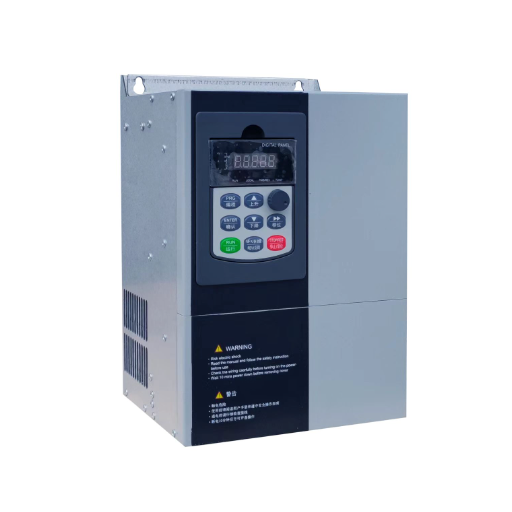
Ready to Get Your VFD Solution?
Whether you need a single drive or a complete system, we have the VFD products and engineering support to ensure your project's success.


A VFD overheating fault means the drive’s internal temperature sensor detected a heatsink, IGBT module, or ambient condition above the safe operating limit, so the drive shut itself down. The root cause is almost always thermal management, not a random electronics failure. In most cases you can find it by looking at when the fault happens.
At a textile mill in South Carolina, maintenance supervisor Lena noticed one air-handling drive tripped every Monday morning after the weekend washdown. The drive itself was only 18 months old. Her first thought was a bad temperature sensor, but the heatsink was actually cold when the fault fired. A quick check showed water had wicked into the terminal area during cleaning, raising humidity around the sensor and causing a false reading. After the team sealed the cabinet gasket and moved washdown spray away from the vents, the Monday trips stopped.
This guide shows you how to read the fault timing the way Lena did. You will learn what a VFD overheating fault really means, the six most common VFD overheating fault causes, and a step-by-step method that fixes the real problem instead of just resetting the drive.
Key Takeaways
- A VFD overheating fault fires when the drive’s temperature exceeds its safe limit. Most cases trace back to blocked heatsinks, failed fans, high ambient temperature, excessive carrier frequency, overload, or a bad sensor.
- The fault timing is the best diagnostic clue. A trip immediately at power-up points to a sensor or board fault; a trip after minutes or hours points to cooling, load, or ambient issues.
- A VFD heatsink temperature fault with a cold heatsink is a false trip. Check the temperature sensor, wiring, and control board before you replace anything.
- Dropping the carrier frequency from 8 kHz to 4 kHz can cut heat generation by 15-25%, but it increases audible motor noise.
- Most VFD overheating solutions are simple: clean the heatsink, replace the fan, improve cabinet airflow, and size the drive for the real load and altitude.

A VFD overheating fault is a protective trip triggered when the drive’s temperature sensor reads a value above the drive’s safe limit. The limit protects the IGBT modules, the rectifier, and the DC bus capacitors from accelerated aging or catastrophic failure. Different manufacturers call it different things: OH, OT, OHF, F30024, or Err14. It is the same problem regardless of the label.
The temperature sensor is usually mounted on or near the heatsink, the metal assembly that carries heat away from the power semiconductors. If the heatsink cannot shed heat fast enough, the temperature climbs until the drive trips. The drive is doing exactly what it should do. Clearing the fault and restarting without fixing the thermal issue only shortens the drive’s life.
It is important to separate this from motor overheating. A motor can overheat because of low speed, poor ventilation, or incorrect VFD settings, but that is a different fault path. This article focuses on the drive-side VFD overheating fault, not the motor. If your motor is running hot, the issue is usually load, speed, or motor cooling.
The fastest way to narrow the cause is to ask when the VFD overheating fault happens.
| When the fault occurs | What it usually means | First check |
| Immediately at power-up | Bad temperature sensor, board fault, or connector issue | Sensor resistance, wiring, connector corrosion |
| After minutes or hours of running | Cooling system is overwhelmed | Heatsink, fan, ambient temperature, airflow |
| Only in hot weather or summer | VFD ambient temperature too high | Cabinet ventilation, room temperature, heat sources |
| Only after a mechanical or parameter change | VFD thermal overload fault or undersized drive | Running current vs. rated current, ramps, carrier frequency |
| After washdown or in a humid area | Moisture ingress or false sensor reading | Cabinet sealing, sensor, humidity |
This simple table keeps you from chasing a bad sensor when the real problem is dust, or cleaning a heatsink when the sensor itself has failed. For the full picture of how all VFD faults connect, start with the complete VFD troubleshooting guide.
Most VFD overheating fault causes fall into one of six categories. Work through them in this order and you will find the culprit faster.
The first three are external thermal management issues. The next two are settings or sizing issues. The last one is an electronics issue. Treat them in that order.

The heatsink is the drive’s radiator. It transfers heat from the IGBT modules into the air. If the fins are blocked, heat cannot escape. A VFD heatsink temperature fault is often the first sign that the heatsink is clogged.
Lock out the drive and wait for the DC bus to discharge below 5 VDC. Remove the cover and shine a flashlight through the heatsink fins. You should see straight channels. If you see a mat of dust, oil, or lint, the heatsink needs cleaning.
Use dry compressed air at less than 5 bar or 70 psi. Blow from the bottom up so dust exits the way it entered. A vacuum at the outlet helps keep dust out of the cabinet. Wiping only the outside surfaces is rarely enough; the debris lodges deep in the channels.
Lena’s team at the textile mill found a drive whose heatsink looked clean from the front but was packed with lint on the back side. A five-minute compressed-air cleaning dropped the running temperature by 18 degrees Celsius. The drive had been running hot for months without tripping, but it was aging the capacitors faster every day.
The fan moves air across the heatsink. A VFD cooling fan failure is just as common as a blocked heatsink. Fan bearings typically last 3 to 5 years in a clean environment and far less in dusty or oily air.
Listen while the drive runs. A healthy fan is steady and quiet. Grinding, clicking, or weak airflow means the bearings are worn. With the drive locked out, spin the fan by hand. It should turn smoothly with no roughness or wobble. If it feels gritty, replace it.
Always confirm the replacement fan blows in the correct direction. Reversing airflow can make the drive run hotter than no fan at all. Keep a spare fan on the shelf in critical applications.
A drive rated for 40 or 50 degrees Celsius cannot run safely if the air inside the cabinet is hotter than that. VFD ambient temperature too high is a leading cause of summer trips.
The drive’s internal sensor reads the heatsink, not the cabinet air. Use a calibrated thermometer to measure the air temperature around the drive. Measure it while the drive is running under normal load, not on a cool morning.
Most drives need about 150 millimeters of clearance above the unit and 100 millimeters below for free airflow. Check that inlet and exhaust vents are open and that cabinet filters are clean. If the overheating stops when you crack the cabinet door open, you have an airflow problem.
In severe cases, add a cabinet exhaust fan, a heat exchanger, or air conditioning. In hot climates, shade outdoor cabinets and avoid mounting them in direct sun. A rooftop HVAC drive exposed to afternoon sun can easily see 20 degrees Celsius more than the room temperature.
A facilities tech named Omar chased this exact pattern across three office buildings. Each VFD overheating fault happened between 2 and 4 p.m. on summer days. The drives were mounted in unventilated electrical closets with no exhaust. Adding a filtered exhaust fan to each closet eliminated the trips and extended the life of the fans inside the drives.
Air is thinner at high altitude, so it carries less heat away from the heatsink. Most manufacturers require derating above 1,000 meters. If your site is at altitude and the drive is running hot, the drive may be undersized for the location even if the current looks acceptable.

Not every VFD overheating fault is a cooling problem. Sometimes the drive is simply generating too much heat for its rating.
The carrier frequency sets how fast the IGBTs switch. A higher PWM frequency gives smoother motor current and quieter motor noise, but it generates more heat in the drive. Dropping the carrier frequency from 8 kHz to 4 kHz can reduce heat generation by 15-25%.
If the application does not need silent motor operation, a lower carrier frequency is often the easiest VFD overheating solution. For help finding the right setting, see our guide to VFD parameter settings.
Compare the drive’s running output current to its rated continuous current. If the motor is pulling close to or above the rating for long periods, the IGBT modules run hot. Causes include an undersized drive, a new mechanical load the original sizing did not account for, aggressive acceleration ramps, or excessive DC braking.
A packaging engineer named Hiro found this after his plant added a larger pulley to a conveyor line. The motor current rose, the drive ran near its limit, and the VFD overheating fault appeared every afternoon. The real fix was resizing the drive for the new load and lengthening the acceleration ramp. Cleaning the heatsink helped, but it could not compensate for an undersized drive.
If you suspect overload, also check for a related VFD overcurrent fault. The two often travel together.
A drive that reports a VFD overheating fault while the heatsink is cold has a detection problem, not a thermal problem. The three most common causes are a failed temperature sensor, corroded wiring or connectors, and a damaged control board.
The sensor is usually a thermistor. With the drive locked out and discharged, measure its resistance and compare it to the manufacturer’s chart. A sensor reading open line or a fixed value regardless of temperature has failed.
Vibration, humidity, and temperature cycling can loosen connectors or corrode pins. A poor connection makes the control board see an out-of-range value. Reterminate or replace suspect wiring before replacing the board.
If the sensor and wiring test good, the analog input or processing circuit on the control board may be damaged. This is more common after a transient event such as a nearby lightning strike or a ground fault. Replace the board only after ruling out the sensor and wiring.
Lena’s Monday washdown case is the classic false trip. The heatsink was cold, the drive was new, and the fault only appeared after cleaning. Moisture had raised the local humidity enough to skew the sensor. Once the cabinet was sealed, the problem disappeared.
The code on the display varies, but the meaning is the same: the drive thinks it is too hot.
| Brand | Overtemperature code | Notes |
| Schneider Altivar | OHF | Heatsink overtemp fault |
| Yaskawa | OH / OF | Heatsink overtemp / cooling fault |
| Siemens SINAMICS | F30024 | Power unit overtemperature |
| Danfoss VLT | 29 / 14 / 37 | Heatsink / module / control card temp |
| ABB ACS | 4110 | IGBT overtemperature |
| Allen-Bradley PowerFlex | OT | Overtemperature |
| Inovance | Err14 | Module overheating |
| Generic drives | OH / OT | Overtemperature |

Repair makes sense when the drive is otherwise healthy and the thermal damage has not reached the power stage. Replace the fan, clean the heatsink, retorque connections, seal the cabinet, or tune the carrier frequency and the drive returns to reliable service.
Replace the drive when it has suffered repeated thermal trips, when IGBT modules or the control board are damaged, or when it was undersized from the start. Running hot shortens capacitor and semiconductor life even before the trips start. At some point a new, correctly sized drive costs less than the downtime and repairs.
For guidance on sizing and environmental selection, the engineering support team at Shandong Electric can review your load, ambient, and altitude before you order. Get help selecting the right VFD →
Most VFD overheating solutions become unnecessary with a short preventive routine.
| Task | Frequency |
| Visual inspection and parameter logging | Monthly |
| Check/clean cabinet filters | Monthly |
| Thermal scan of connections and heatsink | Quarterly |
| Inspect fans for noise or weak airflow | Quarterly |
| Clean drive interior and heatsink with dry compressed air | Annually |
| Replace cooling fans | Every 3-5 years, or on condition |
| Replace cabinet filters | Every 3-12 months, environment-dependent |
Fold these tasks into your VFD preventive maintenance schedule. A drive that runs cool lasts longer, fails less often, and protects the capacitors and IGBTs that would otherwise need expensive replacement.
The most common VFD overheating fault causes are a blocked heatsink, VFD cooling fan failure, VFD ambient temperature too high, excessive carrier frequency, overload or undersized drive, and a bad temperature sensor or board fault.
A trip that only appears in hot weather usually means VFD ambient temperature too high. The cabinet or room cannot remove enough heat. Improve ventilation, add exhaust fans, clean filters, or shade outdoor enclosures.
Yes. A VFD heatsink temperature fault is often caused by dust, oil mist, or lint packed between the fins. Cleaning with dry compressed air from the bottom up usually fixes it.
Replace the fan with the correct part and confirm the airflow direction. Spin the old fan by hand after lockout: roughness or wobble confirms bearing wear. Replace fans every 3 to 5 years in critical applications.
Lower carrier frequencies generate less heat. Dropping from 8 kHz to 4 kHz can reduce heat generation by 15-25% and is one of the simplest VFD carrier frequency overheating fixes. The trade-off is slightly more audible motor noise. Choose the lowest frequency your application allows.
A VFD overheating fault is a drive-side trip. It means the drive’s heatsink or IGBT module is too hot. Motor overheating is a motor-side issue, usually from low-speed operation, poor ventilation, or excessive load.
Yes. If the heatsink is cold but the drive trips on overheat, suspect the temperature sensor, wiring, connector, or control board. A false trip can also happen after moisture enters the cabinet.
In a clean environment, clean the heatsink annually. In dusty, oily, or fibrous environments, inspect and clean it quarterly. Check cabinet filters monthly and replace them every 3 to 12 months depending on conditions.
A VFD overheating fault is the drive protecting itself from damage. The cause is almost always one of six things: blocked heatsink, failed fan, high ambient, high carrier frequency, overload, or a false sensor reading. The fault timing tells you which one to check first.
Most VFD overheating solutions are simple and inexpensive when you catch them early. A clean heatsink, a new fan, and better cabinet airflow can add years to a drive’s life. If your application runs hot, at altitude, or in a harsh environment, the Shandong Electric VFD product range includes drives built for demanding conditions with full engineering support to get the sizing, settings, and cooling right from the start.