Ready to Get Your VFD Solution?
Whether you need a single drive or a complete system, we have the VFD products and engineering support to ensure your project's success.

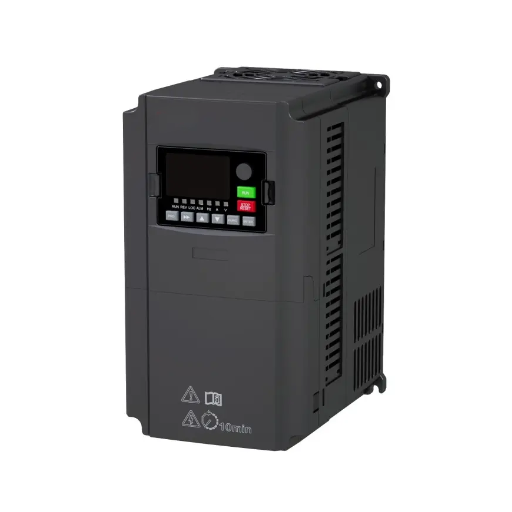
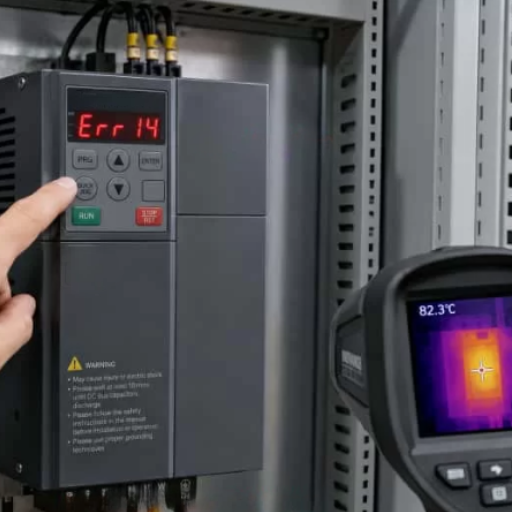
VFD nuisance tripping is a trip you could not reproduce, not a trip with nothing behind it. That distinction is the whole problem. The drive stopped, the operator reset it, and it ran perfectly, so the fault was written off as a nuisance. Often the protection was right, and the condition it detected had simply passed.
This guide covers only the intermittent case. If your drive is down right now and showing a fault code, our VFD troubleshooting guide is the right page. If the fault comes and goes, read on.
Selin ran maintenance at a textile mill in Bursa, and for two months she had a drive that stopped on Tuesdays. It ran the rest of the week. She replaced the cooling fan, checked the motor and re-terminated the control wiring. Then she did the thing that solved it in an afternoon: opened the fault history and read the timestamps.
Every trip had the same sub-code and the same DC bus voltage. Every one landed within four minutes of the neighbouring line starting up.
Key Takeaways
- A “nuisance” trip is a label the operator applies, not a property of the fault. Most are real protective trips on a condition that had passed by the time anyone looked.
- Record the fault history before you reset. Clearing the fault destroys the only evidence you have. Modern drives store the operating parameters at the moment of trip, not just a code.
- Electrical noise is one cause among at least five. Settings, ramps, power quality, mechanical faults and thermal problems compete with it, and settings are usually the first place to look.
- A drive’s normal leakage current can falsely trip an RCD. Fitting a Type B device at 300 mA in front of a drive is the standard fix; Type A or AC at 30 mA will keep tripping.
- The two kinds of trip need opposite fixes. Establish which you have before changing anything.
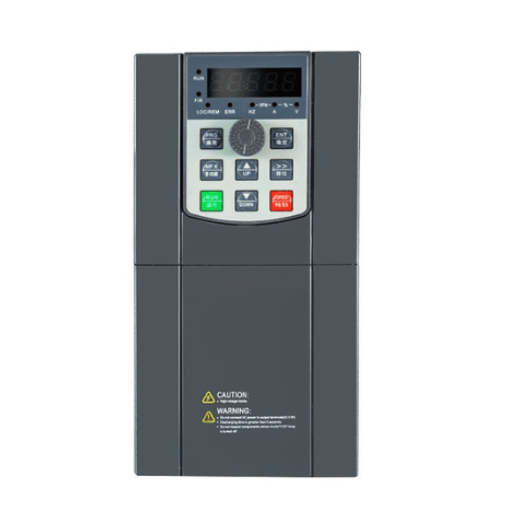
Not every case of VFD nuisance tripping is the same. Before you touch a parameter, work out which of two problems you have, because the fixes are not related.
A real but intermittent trip is genuine protection operating correctly on a condition that comes and goes.
The drive did its job. You need to find the condition.
A genuinely false trip is the drive acting on information that was never true.
Here the condition does not exist, and the fix is in the sensing or the supply.
| Question | Real but intermittent | Genuinely false |
|---|---|---|
| Does the fault correlate with anything? | Yes, usually, once you look | No pattern found |
| Does it happen under load? | Often | Usually at any load, or at start |
| Does the log show plausible values? | Current, voltage or temperature out of range | Values look normal, or absurd |
| Does it recur under consistent conditions? | Yes | Often random |
| What fixes it? | The condition | The sensing, cabling or supply |
| What happens if you raise the threshold? | You remove protection from a real problem | The trips stop |
That last row is the one that matters. Raising a protection threshold to stop nuisance tripping is a dangerous reflex. On a genuinely false trip it is a legitimate fix. On a real intermittent fault it removes the protection and leaves the cause in place, which converts a trip into a failure.
Seeing the same fault return on one drive? Send us the fault history and the operating conditions. That combination usually narrows it faster than a site visit. Talk to our engineering team.
The defining constraint of an intermittent fault is that it is gone when you arrive. So the priority is not diagnosis, it is evidence.
This is the most underused tool on the drive. Modern drives store the last 3 to 20 faults, and each entry holds the operating parameters at the moment of trip:
That list is why the technique works. An overcurrent code alone tells you almost nothing. An overcurrent code with 180% current at 5 Hz tells you the motor was trying to start into a load it could not turn.
Record before you reset. Every time. Resetting clears the buffer on many drives, and the fault history is the only evidence you will get until it happens again. Make it a standing instruction, not a good intention.
Then read across events rather than reading one. Andrei, at a plastics plant in Cluj, had a drive that had been reset for months without anyone reading its log. Three entries later the pattern was obvious: identical DC bus voltage on every event, well below normal, which pointed straight at the supply rather than at the drive.
Many drives can record a waveform, not just a snapshot. Called a trace, a scope or a data-logging function depending on the brand, it captures a window of drive variables, and it can be configured to trigger on a fault and hold pre- and post-trigger data in a buffer.
That matters because some faults exist for milliseconds. A snapshot at the moment of trip may miss the transient that caused it; a triggered trace catches the run-up as well. Siemens documents this explicitly for its SINAMICS drives, where the trace and multiple-trace functions can be set to trigger at fault and the buffered data retrieved afterwards.
If your drive has this function, it is the single best tool for an intermittent fault, and it costs nothing to enable.
Older drives may store nothing useful. Two options remain.
Poll the drive externally. Read DC bus voltage, output current, output frequency and heatsink temperature over your fieldbus at a few hundred milliseconds and log them with timestamps. You will not catch millisecond events, but you will catch the minute-scale trends that precede them.
Record the supply separately. A drive-internal log cannot see fast transients on the input side. Where the trips look like supply events, a power quality recorder at the MCC is what captures them.
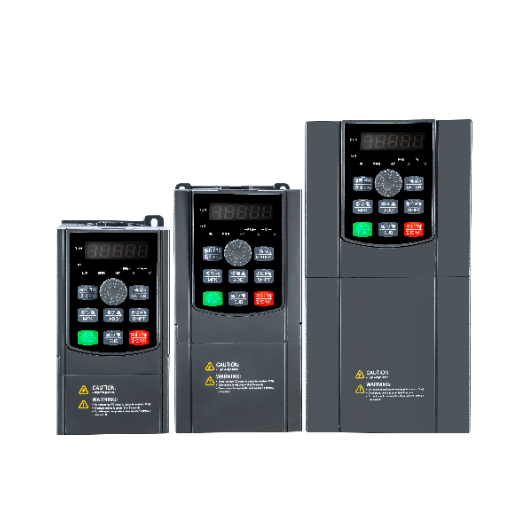
There is a persistent idea that VFD nuisance tripping is mostly electrical noise. It is not, and treating noise as the default sends people down an expensive path. Here are the families, roughly in the order worth checking.
Start here, because it is free and it is common.
Acceleration set too short for the load inertia produces overcurrent on start. Deceleration set too short produces overvoltage on stop, as the motor regenerates. An overload threshold set too low trips on normal operation. Motor nameplate data entered wrongly, or not at all, undermines every protection the drive applies, because the drive is protecting a motor it has never been told about.
That last one deserves dwelling on. A drive protecting against a default motor is not protecting yours, and the resulting trips look erratic because the threshold is wrong by an unknown margin.
Our guides to VFD ramp settings and VFD protection settings cover the specific values. The diagnostic point is simpler: if the trip disappears when the load is light, the settings are a candidate before the wiring is.
Voltage imbalance, sags when large loads start nearby, and switching transients all produce trips that look random until you correlate them. A drive has a narrow tolerance band between its undervoltage and overvoltage thresholds, so a supply that would be adequate for a contactor-fed motor can be marginal for a drive.
Check the supply under load, not at rest. A drive sitting on a high line has very little headroom before an overvoltage trip.
This family is missed most often because the symptom arrives through the drive.
A worn sheave, a binding conveyor, a misaligned brake or a dry bearing all increase load intermittently, and the drive reports an electrical fault because that is what it can measure. The fault is real. It is just not electrical.
The tell is in the log: if the current is genuinely elevated at the moment of trip, the load was genuinely heavier. That points at the machine, not the drive.
A margin that closes only on hot days, or only after several hours of running, is a thermal problem. Blocked heatsinks, a failing cooling fan, a hot cabinet and conductive dust all produce intermittent trips that correlate with ambient temperature or run time rather than with anything electrical.
The timestamp in the fault history is what exposes these, because the pattern is in when the trips happen.
Noise is a real cause. It is simply not the only one, and it is often the last one to suspect rather than the first.
The usual routes are unshielded motor cable, control and power cables sharing a tray, poor or missing earthing, and a long motor cable run. Our VFD installation best practices guide covers the earthing and routing standards. The diagnostic marker is a fault that appears when a specific nearby machine operates: a welder, a large contactor, another drive.

This deserves its own section because it is a common false trip, it is easily fixed, and it is frequently misdiagnosed as a drive fault.
A drive’s normal leakage current is roughly 1% of its rated current, with a typical spread of 1 to 3%. It is not a fault. It is capacitive current coupling to earth through the cable and through the EMC filter’s Y-capacitors, and every healthy drive produces it.
Shielded motor cable contributes roughly 0.2 to 1 mA per metre of leakage. So cable length drives this directly: a long run can push a healthy drive’s leakage past the trip threshold of an unsuitable protective device.
An RCD cannot distinguish normal leakage from a genuine fault current, so when the sum crosses its threshold, it trips.
The device class matters more than the sensitivity.
| Device | Suitability in front of a drive |
|---|---|
| Type AC or A at 30 mA | Will false trip. Not suitable. |
| Type A at 300 mA | Marginal. May still trip on high-frequency leakage |
| Type B at 300 mA | The standard recommendation. |
| Type Bfq / Bfg | Insensitive to high-frequency leakage up to about 50 kHz, where available |
Two reasons Type B is specified. First, a drive’s DC link can inject smooth DC residual current, which pre-magnetises a Type A device’s core and blinds it to a real fault. Only a Type B or B+ device detects that. Second, Type B has a frequency-dependent characteristic that tolerates more high-frequency leakage before tripping.
A time-delayed device is also worth considering, because it ignores the brief imbalance during power-up and capacitor charging. Application notes from KEB, Delta, Eaton and Doepke cover the selection in detail, and standards such as EN 50178 point to three-phase drives at a Type B or an RCM device at 300 mA or above.
Two practical notes follow. Lowering the drive’s switching frequency reduces the leakage, which can bring a marginal installation back inside an existing device’s tolerance. And check the switching frequency against the EMC filter’s resonance: a filter resonating near 2.1 kHz will trip readily at 2 kHz or 4 kHz settings, so a non-multiple such as 6 to 7 kHz is safer.

Once you know which kind of trip you have, the fix follows, and the order is by cost.
Do not start with the protection. Raising a threshold or disabling a protection is what turns an intermittent trip into an unheralded failure. It is only correct when you have established that the trip is genuinely false.
Most of this is decided at commissioning rather than at the fault.
Usually something is wrong and it is intermittent. With VFD nuisance tripping, the drive stopped, the condition passed, and the reset worked, so the fault was written off. Read the fault history before assuming the drive is at fault: the operating parameters recorded at the trip usually identify the cause.
Capture evidence rather than trying to witness the fault. Read the fault history and its timestamps, enable the drive’s trace function with a trigger at fault if it has one, and log the drive parameters externally if it does not. Then look for the pattern across the VFD nuisance tripping events you have logged.
A nuisance trip is protection operating where no real danger existed. A real fault is protection operating on a genuine condition. The distinction matters because the fixes are opposite: you correct the condition for a real fault, and the sensing or supply for a false one.
Normal drive leakage. A healthy drive leaks roughly 1% of its rated current, and shielded cable adds about 0.2 to 1 mA per metre. A Type AC or A device at 30 mA cannot tolerate that and trips. A Type B device at 300 mA is the usual fix.
Yes, and it is a common cause. A binding conveyor, a worn sheave or a misaligned brake increases load intermittently, and the drive reports an electrical fault because current is what it measures. If the log shows genuinely elevated current at the trip, suspect the machine.
Establish first whether the current was genuinely high at the trip. If it was, the load or the ramp time is the cause, and neither is fixed by adjusting protection. If it was not, suspect a false trip and look at the sensing, the cabling and the earthing.
VFD nuisance tripping is usually a real trip with a poor reputation. The protection fired correctly on a condition that had gone by the time anyone looked, and calling it a nuisance is what stops people from finding it.
Three habits solve most cases. Record the fault history before you reset, because it holds the operating parameters and the timestamp, and resetting destroys them. Read across events rather than one, because a single fault hides the pattern. And establish whether the trip is real or false before changing anything, because the two need opposite fixes and raising a threshold on a real fault removes protection rather than solving anything.
Very little of that needs new hardware. Most of it needs the evidence the drive was already recording.
If a machine keeps tripping and the log has not settled it, contact our engineering team with the fault history entries, the load profile and the supply details. Those three together usually identify the family within a short conversation.