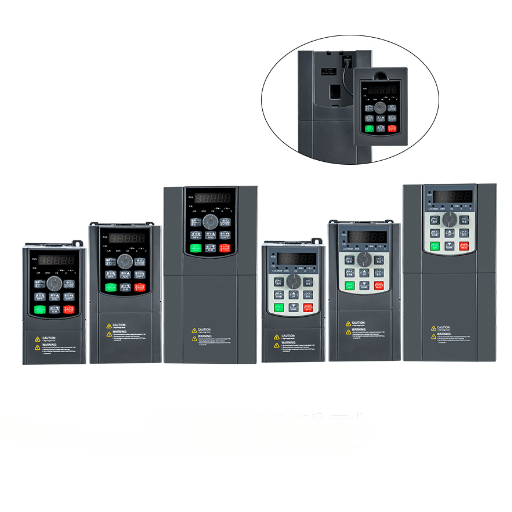
Ready to Get Your VFD Solution?
Whether you need a single drive or a complete system, we have the VFD products and engineering support to ensure your project's success.


A single phase VFD troubleshooting session should always start with the 5-minute pre-flight checklist. For a single-phase input drive that is tripping, not starting, or showing a fault code, roughly 80% of problems are caused by wiring errors, incorrect parameters, or environmental factors. The drive itself is rarely defective.
Mike stared at the display on his new single-phase VFD. OC. Overcurrent. Again. His lathe motor had not even started turning.
He had checked the wiring twice, the motor ran fine across-the-line, and the VFD was brand new. The problem was the acceleration time left at 0.5 seconds from a previous high-speed spindle application. Changing it to 5 seconds fixed it permanently.
You already know that downtime costs money. What you need is a systematic way to diagnose single phase VFD faults without randomly swapping parts or calling a technician for a 5-minute fix. This guide covers a symptom-based diagnostic flow, the 10 most common single-phase VFD faults, and a prevention checklist that stops problems before they start. If you are installing a drive for the first time, our single-phase VFD wiring guide covers terminal layout and grounding in detail. For a broader view of best practices, see CSE Magazine’s VFD troubleshooting overview.
Key Takeaways
- Start every troubleshooting session with the 5-minute pre-flight checklist: voltage, parameters, wiring, load, and ground.
- Overcurrent (OC) accounts for roughly 40% of all single phase VFD faults; acceleration time and motor insulation are the top culprits.
- Single-phase input creates higher DC bus ripple than 3-phase, making undervoltage and overvoltage trips more common on marginal power supplies.
- A VFD that loses parameters after a power cycle needs a documented backup; rebuilding 40+ settings from memory wastes hours.
- 80% of single phase VFD faults are fixable in under 30 minutes with the right diagnostic sequence.
For a deeper dive on single-phase input configurations, see our guide to single phase vfd guide

Single phase VFD troubleshooting is the systematic process of diagnosing and fixing faults in variable frequency drives that accept single-phase input power. It involves checking input voltage, motor parameters, wiring, and load conditions to identify why a drive trips, fails to start, or displays an error code.
Single-phase input VFDs share the same control logic as three-phase drives, but the power stage behaves differently. A single-phase drive draws current through only two input terminals instead of three. That creates higher ripple on the DC bus capacitor bank. The rectifier works harder, voltage sags hit harder, and the output waveform contains slightly more harmonic content.
These differences matter for troubleshooting. A fault that rarely appears on 3-phase systems can become common on single-phase. Undervoltage trips happen more often because single-phase rural or workshop supplies sag under load.
Overcurrent trips during acceleration are more frequent because the DC bus cannot deliver energy as smoothly. And EMI interference from nearby welders or grinders causes phantom faults more easily when grounding is poor.
Understanding these single-phase specific behaviors saves you from chasing ghosts. Before you assume the drive is defective, rule out the power supply, the parameters, and the installation environment. If you need to run a three-phase motor from a single-phase workshop supply, our guide to converting single-phase power to three-phase output explains the derating and wiring differences.
Need help confirming your motor parameters? Our guide on how to size a VFD for your motor explains how to match drive current to motor FLA and confirm variable torque duty.
Real single phase VFD troubleshooting starts before you open the fault history. Run this checklist first. It prevents hours of wasted diagnostic work. Most single phase VFD wiring problems are caught in the first two minutes.
When the engineering team at a woodworking co-op in Oregon installed three single-phase VFDs on three different machines, all of them showed random UV faults within a week. Each drive worked fine on the bench. The problem was a shared 15-amp circuit in an old building with severe voltage drop under load. Running separate 20-amp circuits fixed all three drives instantly.
Follow this symptom-based flow for single phase VFD troubleshooting instead of randomly checking fault codes. It routes you to the right section fast.
| Symptom | Start Here |
|---|---|
| No display at all | Section: Display and Power Faults |
| Display shows OV or UV | Section: Display and Power Faults |
| Display shows OC | Section: Overcurrent Faults |
| Motor hums but won’t turn | Section: Motor Behavior Faults |
| Motor runs but gets hot | Section: Motor Behavior Faults |
| Speed jumps or random trips | Section: Motor Behavior Faults |
| Settings gone after restart | Section: Parameter Faults |
If your symptom is not on this list, work through the pre-flight checklist again. Most “mystery” faults are actually checklist items that were skipped.
Use this table for fast lookup while you work. Match the code on your display to the most likely cause and the section with full details.
| Code | Meaning | Most Likely Cause | Go To |
|---|---|---|---|
| OC, OC-A, OC-d | Overcurrent | Acceleration too fast, motor short, wiring error | Overcurrent Faults |
| OV | Overvoltage | Fast decel, regenerative load, voltage spike | Display and Power Faults |
| UV | Undervoltage | Low supply voltage, loose terminal, shared circuit | Display and Power Faults |
| OH | Overheat | Blocked vents, high ambient temp, fan failure | Motor Behavior Faults |
| OL | Overload | Mechanical binding, oversized load, wrong motor params | Overcurrent Faults |
| EF, GF | Earth/Ground fault | Motor insulation failure, moisture in junction box | Overcurrent Faults |
| No display | Power supply dead | Blown fuse, loose input wire, internal supply failure | Display and Power Faults |

If the VFD display is completely dark, the internal switching power supply is not running. Check the input fuses first. Single-phase drives often use fast-acting fuses on the input side, and a prior fault or wiring mistake may have blown them.
Measure AC voltage directly at the L1 and L2 terminals. If voltage is present but the display is dead, the internal power supply board has failed. This is rare but not unheard of. If the display flickers or resets repeatedly, suspect loose terminal connections or severe input voltage sag.
The reasoning behind an overvoltage fault usually talks about exceeding the DC bus overvoltage threshold that is typically around 400V DC for a 220V-class drive. In the case of single-phase systems, the cause is almost always regenerative energy while fast decelerating. In a high-inertia load- a large grinder or fan returns energy into the DC bus when being slowed too fast.
In case an answer is sought, the regulator from three-time shortening to 10 to 15 seconds would be beneficial. In the case where the material must be brought down quickly, a braking resistor could be used to absorb excessive energy that might be produced while protecting the regenerator from Lower inertia requirements.
For less essential applications, enable the overvoltage stall prevention function from the VFD parameters. This setting will automatically lengthen the deceleration time should the DC bus lift too high.
Anything like an instant voltage spike could cause OV. If your line machinery supplies do not often run in excess of 240V, it would be worth considering running either a rector on the line or possibly getting a line regulator.
Undervoltage means the DC bus has dropped below the threshold, usually around 180V DC on a 220V-class drive. Single-phase workshop supplies are notorious for voltage sag under load. A compressor, welder, or large motor starting on the same circuit can pull the line down just long enough to trip the VFD.
Measure input voltage at the VFD terminals while the motor is starting. If it drops below 200V AC, you have a supply problem, not a drive problem. Solutions include upsizing the input cable to reduce drop, running a dedicated circuit, or selecting a VFD with a wider undervoltage tolerance.
Loose terminal connections also cause UV. Torque all power terminals to the manufacturer spec. A loose L1 or L2 connection creates resistance that drops voltage under load. For workshop environments with unstable supply voltage, consider low-voltage VFD systems with wider input tolerance and enhanced protection.
Overcurrent is the most common single phase VFD fault. It accounts for roughly 40% of all service calls. The display shows OC, OC-A, or OC-d depending on the manufacturer. All mean the same thing: the output current exceeded the trip limit.
If the VFD trips the instant you press run, before the motor even turns, suspect one of three causes. First, the acceleration time is too aggressive. A motor that needs 5 seconds to reach full speed cannot do it in 0.5 seconds.
The inrush current spikes and the drive trips. Start with 5-10 seconds for most loads.
Second, the motor may have a shorted winding or degraded insulation. Disconnect the motor leads at the VFD and test each phase to ground with a megohmmeter. Readings below 1 megohm indicate insulation failure. Readings below 100 kilohms mean a dead short.
Third, verify that the output wires connect to U, V, and W. Accidentally routing output back to L1 or L2 creates a direct short across the DC bus. The drive trips instantly, if you are lucky. If you are not, the IGBT module fails.
If the drive starts normally but trips while running, the load has changed. A binding bearing, a jammed tool, or a clogged impeller all increase torque demand. The motor draws more current to maintain speed, and the VFD protects itself.
Deceleration overcurrent is slightly different. When you command a fast stop on a high-inertia load, the motor acts as a generator. That regenerative current flows back into the drive.
If the braking circuit cannot handle it, the drive trips on overcurrent. The fix is the same as OV: longer decel time or a braking resistor.
Check the mechanical load first. Disconnect the motor from the load and run it uncoupled. If the drive runs fine without the load, the problem is mechanical, not electrical.

A humming motor with no rotation means the VFD is producing voltage, but not enough torque to break the load free. Check the V/F parameter first. If the base voltage is set too low for the motor, starting torque collapses. A 230V motor programmed for 200V will hum and stall.
Next, verify that all three output phases are present. Use a multimeter to measure voltage between U-V, V-W, and W-U while the drive is commanding run. If one phase reads zero, the VFD output stage has failed. This is rare on new drives but more common after a prior short-circuit fault.
Finally, check the motor connections. A single loose wire at the motor junction box creates a single-phasing condition. The motor hums, overheats, and eventually fails if left running. Note that most single-phase VFDs output three-phase power to the motor. If you are working with a single-phase motor VFD setup, the wiring and parameter requirements differ significantly.
If the motor runs at the correct speed but gets hotter than it did across-the-line, the VFD output waveform is the culprit. VFDs do not produce perfect sine waves. They produce pulse-width modulated approximations with high-frequency switching edges. Those edges create extra heating in the motor iron and windings.
Standard motors are designed for sine wave power. Running one on a VFD without adjustment increases operating temperature by 10-20%. The fixes are straightforward.
Increase the carrier frequency in the VFD parameters to smooth the waveform. Add an output reactor or dv/dt filter between the VFD and motor. Or replace the motor with an inverter-duty model that has reinforced insulation and a separate cooling fan.
Also verify the V/F curve. If the boost voltage at low speed is set too high, the motor saturates and overheats. If it is set too low, the motor stalls and overheats from excessive slip.
Random behavior is the most frustrating single phase VFD fault because it comes and goes. The root cause is almost always electromagnetic interference or a grounding issue. Single-phase installations in small workshops often share power with welders, plasma cutters, or CNC machines. Those devices dump high-frequency noise onto the supply.
Start by checking the shielding on the VFD control cables. The shield should connect to ground at one end only, typically the VFD end. If the shield is grounded at both ends, ground loop currents flow and create noise. If the shield is not grounded at all, the cable acts as an antenna.
Route power cables and control cables separately. Keep them at least 12 inches apart, and cross them at 90 degrees if they must intersect. Add ferrite cores on the control wires near the VFD terminals.
And verify that the VFD ground, the motor ground, and the building ground all tie to a single ground bus. Multiple ground references create voltage differences that confuse the control board.

When a VFD powers up with factory defaults instead of your saved settings, the parameter memory has failed or been reset. Some drives use a small backup battery to maintain EEPROM memory. After 5-10 years, that battery dies. Other drives store parameters in flash memory, which should last decades but can corrupt during voltage spikes.
The immediate fix is to re-enter the motor nameplate data and application parameters. But first, document everything. Take photos of every parameter screen before the next power cycle. Many technicians skip this step and regret it later.
Sandra learned this the hard way when lightning struck near her irrigation pump in Texas. The surge wiped her VFD parameters. She had no backup.
Two days of downtime followed while she manually rebuilt 40 parameters from a photo she had luckily taken during commissioning. The moral is simple: always photograph your parameter screens after setup.
If parameter loss happens repeatedly, the EEPROM chip or backup battery is failing. Contact the manufacturer or distributor for a control board replacement. In the meantime, keep a printed parameter sheet taped inside the enclosure.
Braking resistors are optional on most single phase VFDs, but essential on high-inertia loads. The resistor absorbs regenerative energy that the DC bus cannot store. An undersized resistor overheats, creates a fire hazard, or fails open.
Verify the resistor ohm and watt rating against the VFD manufacturer specs. A common mistake is using a 50-ohm resistor where the drive calls for 100 ohms. Lower resistance allows more current, which dumps heat faster but can exceed the drive braking transistor rating.
Also check the duty cycle. A braking resistor rated for 10% duty cycle cannot handle continuous regeneration. If your application requires frequent stopping, size for continuous duty or add a larger resistor bank.
Mount the resistor outside the VFD enclosure in a well-ventilated area. Enclosed resistors overheat quickly.
Most single phase VFD troubleshooting sessions end with a simple reset. Press STOP/RESET on the keypad, or cycle input power. The drive returns to standby and waits for a new run command.
But understand what you are doing. Resetting a fault without fixing the cause just guarantees another trip.
If the drive will not reset, the fault may be latched. Power the drive down completely. Wait 30 seconds for the DC bus capacitors to discharge.
Then power back up. This clears most latched conditions.
A factory reset is the nuclear option. It returns every parameter to default. Only use this when the parameter set is so corrupted that manual correction is impossible.
After a factory reset, you must re-enter motor nameplate data, acceleration times, and application settings. Have your parameter sheet or photos ready.
Some faults belong to a qualified electrician or the drive manufacturer. Know when to stop and call for help.
Safe to fix yourself: Wiring checks, terminal tightening, parameter adjustments, cooling fan cleaning, and basic load verification. These require only a multimeter and common sense.
Call a technician: Internal power supply failure, IGBT module damage, control board faults, or repeated unexplained trips after all single phase VFD troubleshooting checklist items pass. Opening the drive enclosure exposes lethal DC bus voltages even after power is removed. Capacitors store charge for minutes.
Call the manufacturer: Firmware bugs, parameter memory corruption, or compatibility questions about a specific motor and drive combination. Shandong Electric provides full-cycle technical support from selection to commissioning and ongoing maintenance.
The best single phase VFD troubleshooting is the kind you never have to do. Use this checklist on every new single-phase VFD installation.
For a deeper walkthrough on installation best practices, see our single-phase VFD wiring guide. It covers terminal identification, grounding, and EMI protection in detail. Plant Engineering also publishes excellent VFD installation best practices worth reviewing before any new install. If you are selecting a new drive for your application, browse our single-phase VFD product catalog to compare specifications, protection features, and pricing.
The most common cause is an acceleration time set too short. Start with 5-10 seconds. Also verify motor insulation and check that output wires are not swapped with input wires.
Yes. Shorted windings, degraded insulation, or a seized bearing all increase current draw. Disconnect the motor and test each phase to ground with a megohmmeter.
The drive is sized for the motor, not the peak mechanical load. When the cut deepens or the feed increases, torque demand exceeds the drive current limit. Verify drive sizing against the worst-case load condition.
A slight buzzing from the reactor or transformer is normal. Loud buzzing, clicking, or arcing sounds indicate loose terminals or internal component failure. Power down and inspect.
In clean environments with stable voltage, 10-15 years is typical. In dusty, hot, or electrically noisy workshops, expect 5-8 years. Most early failures are installation errors, not component defects.
Some 3-phase VFDs can derate for single-phase input, usually to 50% of rated current. This is not the same as a purpose-built 3-phase VFD. For dedicated single-phase applications, choose a drive designed for single-phase input.
Single phase VFD troubleshooting is not guesswork. It is a systematic process that starts with a 5-minute checklist, follows a symptom-based flow, and ends with a permanent fix. The drive is rarely the problem. The wiring, the parameters, the load, or the power supply are usually to blame.
Start with voltage. Confirm the motor data. Check the mechanics. And always document your parameters before you need them.
Those four habits will save you more time than any advanced diagnostic technique.
At Shandong Electric, we design and manufacture VFDs for workshop, commercial, and industrial applications worldwide. If you are evaluating a single-phase drive for your lathe, pump, or fan application, browse our VFD product range or contact our engineering team. We will help you select the right drive, configure it correctly, and master single phase VFD troubleshooting before the faults ever start.