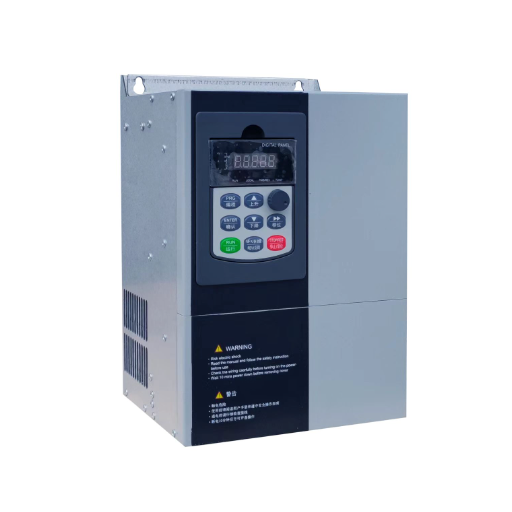
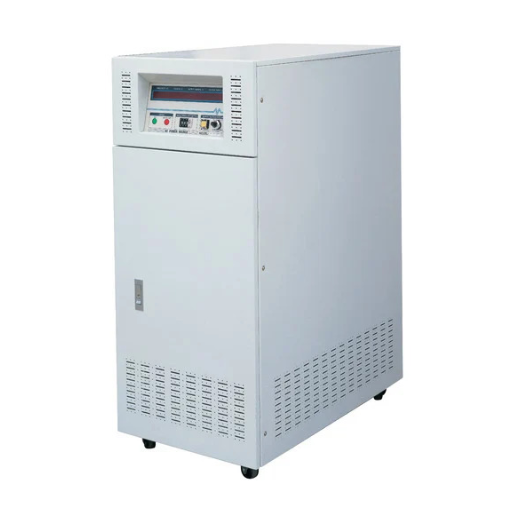
Ready to Get Your VFD Solution?
Whether you need a single drive or a complete system, we have the VFD products and engineering support to ensure your project's success.


A VFD not running with no fault code is usually in a valid stop or inhibit state, not a hardware fault. The fastest fix is a local-mode isolation test, followed by separate checks of the run command path and the frequency reference path.
Last March, a commissioning engineer named Daniel called from a packaging line in Sao Paulo. The new drive was powered, the keypad looked normal, and there was no fault code. The motor sat still.
His team had already swapped in a spare drive. It behaved the same way. The problem was not the drive at all. The control source had been left on “communication” after factory testing, so the drive was waiting for a start command that would never arrive.
This guide gives you a repeatable method for a VFD not running. It shows you how to tell a commanded stop from a real fault, how to isolate the cause in minutes, and what to check when a VFD motor is not running and only hums.
Key Takeaways
- A VFD not running with no fault code is usually stopped or inhibited, not faulty. Read the status word before the fault screen.
- Run a local-mode isolation test first. If it runs from the keypad, the drive and motor are fine.
- Split the problem into the command path (run, enable, safety) and the reference path (frequency or speed).
- A humming motor is a different problem. Check mechanical lock, phase loss, and torque settings before blaming the drive.
- Wrong control source, zero reference, and active-low safety inputs cause most no-run calls.

A drive can be powered and healthy yet refuse to run. That condition feels like a failure, but it usually is not one.
Most drives have three broad states: ready, running, and stopped or inhibited. An inhibited drive is doing exactly what it was told to do. It is waiting for a run command, a reference, or a safety input to close.
This is why a VFD not running should be diagnosed as a state problem first. The fault screen is the last place to look, not the first. The status word, operating mode, and input status tell you what the drive is waiting for. A VFD motor not running can be a control issue, a reference issue, or a real motor fault.
Brand displays use different labels for the same idea. Schneider Altivar drives show nSt for freewheel stop, FSt for fast stop, and NLP for no line power. Other brands show “Ready,” “Stopped,” “Inhibit,” or “CLI” for current limit.
Follow lockout/tagout before any hands-on work. Verify zero energy at the input terminals and the DC bus, then wait for the bus capacitors to discharge.
The ABB basic VFD troubleshooting guide treats power verification and DC bus checks as the first steps for a reason. Capacitors can hold a lethal charge for several minutes after power is removed.
Before you reset anything, capture three pieces of information: the exact display state, the operating mode (local or remote), and what changed last. A no-run call after a parameter download, a PLC change, or new control wiring points straight at the command path. Incorrect parameters cause roughly 60% of post-installation VFD faults, so a recent parameter change is always worth checking.
This single test splits the problem in half. Do it before you chase wiring, motors, or hardware.
Change the control source to keypad or local. On many drives this is a single parameter, such as Mitsubishi Pr.79. Others use a local/remote selector on the keypad or a digital input.
Set a modest reference, such as 10 Hz, from the keypad. Press run and watch the output frequency and the motor.
If the motor runs locally, the drive and motor are fine. The problem is upstream in the control wiring, the reference signal, the safety circuit, or the PLC. If the motor still will not run locally, the cause is in the parameters, the motor, or the drive itself.
That one decision saves hours. It turns a vague VFD not running call into a focused search.

When the drive runs in local mode but not from the control system, the command path is the prime suspect. The run command is simply not reaching the drive, or a safety input is holding it in stop.
Check the run and enable digital inputs on the drive’s input status screen. If the input does not turn on when you command a start, the signal is not arriving.
Loose terminals, open contacts, and wrong input types (NPN vs PNP) are common. A broken wire on an active-low input can also hold the drive in stop.
In 2-wire control, a maintained contact starts and stops the drive. In 3-wire control, a normally closed stop contact and a momentary start pulse do the work.
A 3-wire drive with a missing start pulse or a stuck stop contact will sit in stop forever. The display looks healthy, but the logic is incomplete.
Safe Torque Off (STO), emergency stop, freewheel, and fast-stop inputs are designed to fail safe. Many are active-low, so an open circuit stops the drive.
If the drive shows nSt, FSt, or an inhibit state, trace these inputs first. A tripped E-stop or an open STO loop is one of the most common reasons a VFD is not running.
A drive set to remote will ignore the keypad. A drive set to keypad will ignore the terminals. A drive left on fieldbus will wait for the PLC forever.
Match the VFD control source to your wiring. If the line is controlled by a PLC, confirm the start bit actually reaches the drive. For communication-related start problems, see our guide to VFD communication fault diagnosis.
A drive can have a perfect run command and still produce no output. The missing piece is the frequency reference.
The command path tells the drive to run. The reference path tells it how fast. If the reference is zero, the drive “runs” at 0 Hz and the motor stands still.
Many drives can take the reference from the keypad, an analog input, a preset speed, or a fieldbus. If the source does not match your wiring, the reference is effectively zero.
Confirm the reference source parameter first. Then confirm the signal at the drive terminals, not just at the source.
Measure the analog signal during a start command. A 4-20 mA signal stuck near 4 mA, or a 0-10 V signal at 0 V, gives a near-zero reference.
Wrong polarity, a broken shield, or the wrong analog input channel are all common. Land the signal on the documented terminals and verify the input type.
Three settings can quietly force a no-run condition: minimum frequency above the reference, maximum frequency set to zero, and start frequency set too high.
If the reference is 5 Hz but the minimum frequency is 10 Hz, the drive may appear unresponsive. If a preset or fixed speed is forcing zero, the result is the same.
A humming motor is a different symptom from a dead one. Current is flowing, but the motor cannot produce enough starting torque to turn.
Do not leave a humming motor energized. The winding draws current without doing useful work, so it heats quickly. Lock out power and find the cause.
With power off and locked out, try to rotate the shaft by hand. If it will not turn freely, the cause is mechanical.
Seized bearings, a jammed pump impeller, conveyor debris, or a frozen gearbox are the usual suspects. Disconnect the motor from the load and test again.
On a three-phase motor, one lost phase collapses the rotating field. The motor hums, draws high current, and refuses to start.
The Marathon Electric motor installation manual treats single-phasing as a primary cause of humming motors. Measure voltage across all three phase pairs at the motor terminals during a start attempt, and compare phase currents with a clamp meter.
A technician named Aisha saw this on a water pump skid last summer. The 15 kW motor hummed but would not turn. The drive showed no fault. A loose output terminal had dropped one phase, and tightening it brought the pump back immediately.
If the shaft spins freely and all three phases are present, check the motor. Open or shorted windings can prevent starting, and insulation resistance should read greater than 5 MΩ at 500 V DC; below 1 MΩ to ground indicates damaged insulation.
Low or unbalanced supply voltage, insufficient V/f torque boost, and a current limit set too low also cause humming with no rotation. For the insulation and motor-protection context behind these checks, the NEMA MG1 motors and generators standard is the reference most manufacturers align with.
If the drive trips when you try to start the motor, the symptom has shifted from a no-run to a protection trip. Our VFD overcurrent fault guide covers that path in detail.

Some drives start, run for a few seconds, and stop with no fault. This pattern points to logic or protection that resets itself.
Sleep/wake functions and PID feedback can stop the drive when the process variable looks satisfied. A pump drive may stop because pressure feedback says the setpoint is reached, even when the operator expects it to run.
Torque or current limit reached instantly can also look like a stop. So can a fast-stop or freewheel input that bounces from a loose wire or electrical noise.
Undervoltage ride-through is another quiet cause. A short sag can drop the drive into a stop state that recovers before anyone sees a fault. If braking or decel behavior is involved, our VFD overvoltage fault guide explains the energy side of that symptom.
At an HVAC plant in Durban, a fan drive started every morning and stopped within ten seconds. The night shift had enabled a sleep function during a parameter download. Disabling sleep and restoring the PID setpoint ended the morning stops for good.
The names change, but the checks do not. Use this table to find the right parameter on almost any drive.
| Check | What to Verify | Typical Parameter Names |
|---|---|---|
| Command source | Keypad, terminals, or fieldbus | Pr.79, tCC, Cmd source, Control source |
| Reference source | Keypad, analog, preset, fieldbus | Ref source, Fr1, Frequency reference |
| Control mode | 2-wire or 3-wire | tCt, 2/3 wire, Start/stop mode |
| Minimum frequency | Not above the reference | Min freq, LSP, Lower limit |
| Maximum frequency | Not set to zero | Max freq, HSP, Upper limit |
| Start frequency | Low enough to begin rotation | Start freq, Pr.13 |
| Current limit | Above motor full-load current | Current limit, Torque limit |
| Torque boost | Enough for low-speed starting | Torque boost, V/f boost |
| Safety status | STO, E-stop, freewheel closed | STO, nSt, FSt, Inhibit |
Mitsubishi drives use Pr.79 for operation mode, Pr.78 for reverse prevention, Pr.13 for start frequency, and Pr.1 for maximum frequency. Schneider Altivar drives use tCC and tCt for control and show nSt, FSt, and NLP for stop states.
ABB, Siemens, Yaskawa, Danfoss, and Allen-Bradley PowerFlex drives use different labels, but the same five questions apply: where is the run command, where is the reference, what are the frequency limits, what is the control mode, and what is holding the drive in stop.
Sometimes the drive really is the problem. Hardware failures usually leave a clear pattern once you isolate them.
Run the drive with the motor disconnected and measure output at U, V, and W. Zero volts on all three phases while the display shows “running” points to a failed output stage. Voltage on only two phases points to a failed output leg or an open connection.
A dark or flickering display, a DC bus that will not charge, or repeated input fuse failures also point to hardware. The Industrial Control Academy guide to VFD failure and prevention is a useful reference for these failure modes.
If the no-run condition is intermittent and pairs with heat, smell, or a history of shorted output tests, stop resetting the drive. Repeated starts into a failed power stage can damage upstream components.
Repair the drive if the fault is isolated to a fan, a connector, or parameter corruption. Replace it if the power stage is damaged or repair cost exceeds 50-60% of a new unit. Call the manufacturer when the drive is under warranty or the symptom is unexplained.

The cheapest no-run call is the one that never happens. A few commissioning and maintenance habits prevent most of them.
For a full schedule, see our VFD preventive maintenance checklist. Pair it with the VFD parameter settings guide so every commissioning ends with the right control and reference values.
It is usually in a valid stop or inhibit state. The drive is waiting for a run command, a reference above zero, or a safety input to close. Run a local-mode isolation test to confirm.
Current is flowing but starting torque is too low. Check mechanical lock first, then single-phasing, open windings, low voltage, and torque boost or current-limit settings.
Use the drive’s digital-input status screen during a start command. If the run input does not turn on, measure the signal at the terminals and trace the wiring, PLC output, or contact.
The control source or reference source is wrong for the remote wiring, or the remote run, enable, safety, or reference signal is not reaching the drive.
They are stop states, not faults. nSt is freewheel stop, FSt is fast stop, and NLP is no line power. Each tells you why the drive is inhibited.
Yes. A drive set to fieldbus will wait for a PLC command. A drive set to keypad will ignore the terminals. Matching the source to the wiring is a first check.
Confirm power and DC bus voltage, read the status word, then run a local-mode isolation test. That single step separates control and reference problems from motor and drive problems.
Yes. Open or shorted windings, low insulation resistance, and a seized rotor can all prevent rotation. Megger the motor and cable and confirm the shaft turns freely.
A VFD not running is a state problem before it is a parts problem. Read the status word, run the local-mode isolation test, and then check the command path and the reference path in that order.
Most no-run calls end with a control source, a zero reference, or an open safety input, not a new drive. A humming motor adds a mechanical and phase-loss branch to the same method.
Measure the inputs, verify the parameters, and isolate the load before you replace hardware. That discipline saves downtime and prevents the classic mistake of swapping a healthy drive into a broken control loop.
If the drive still will not run, or if the output stage tests failed, contact the Shandong Electric engineering team. We can help you diagnose the no-run condition, select the right replacement, and get your line running again. For a broader method, see our complete guide to VFD troubleshooting. For product and application support, visit our Shandong Electric VFD product range page.